The 7 Best AI Tools for Homeschooling in 2026 🧠
By Natalie
I'll be honest. When AI showed up, my first reaction as a homeschool mom was "absolutely not, my kids are not chatting with a robot." My second reaction, around 9pm on a Sunday with nothing planned for Monday, was "okay, but could it help ME?"
Turns out, yes. The trick is using AI for the parent work: the planning, the prep, the "find me something about sharks at a 3rd grade level" work. Your kid doesn't need more screen time. You need more time.
So here are the AI tools worth knowing about, most of which our family uses, ranked by the job each one does best. Full disclosure: I co-founded Packet Day, and it's on this list. I'll tell you exactly where it fits and where it doesn't, same as everything else.
Short answer: The best AI tools for homeschooling in 2026 are Packet Day for printable, screen free school days, Khanmigo for AI tutoring at $4 a month, ChatGPT or Claude for planning help, Diffit for leveling reading passages, NotebookLM for turning your own books into study guides, MagicSchool for lesson planning tools, and Photomath or Google Lens for math homework help. Most families only need two or three. Pick by the job, not the hype.
Comparison table
| Tool | Best for | Who uses it | Screen or paper for your kid | Price (Oct 2026) |
|---|---|---|---|---|
 Packet Day | A full printable school day built around your kid's interests | Parent makes it, kid works on paper | Paper | 1 free packet a month; $9/mo billed yearly or $12/mo |
| Khanmigo | AI tutoring that guides instead of giving answers | Kid, with parent oversight | Screen | $4/mo or $44/yr |
| ChatGPT or Claude | Planning, brainstorming, explaining tricky topics | Parent | No kid use needed | Free; paid plans about $20/mo |
| Diffit | Rewriting any text at your kid's reading level | Parent | Either (prints well) | Free tier; $14.99/mo or $149.99/yr |
| NotebookLM | Study guides and quizzes from your own books and notes | Parent, older kids | Screen | Free |
| MagicSchool | Lesson plans, rubrics, quick classroom style generators | Parent | No kid use needed | Free; Plus $12.99/mo or $99.96/yr |
| Photomath or Google Lens | Step by step help on a stuck math problem | Kid or parent | Screen | Free; Photomath Plus about $10/mo |
The ranked list
1. Packet Day: best for a printable, screen free school day
Price: 1 free packet every month, no card needed. Unlimited is $9/mo billed yearly or $12/mo, and covers every kid in the house.
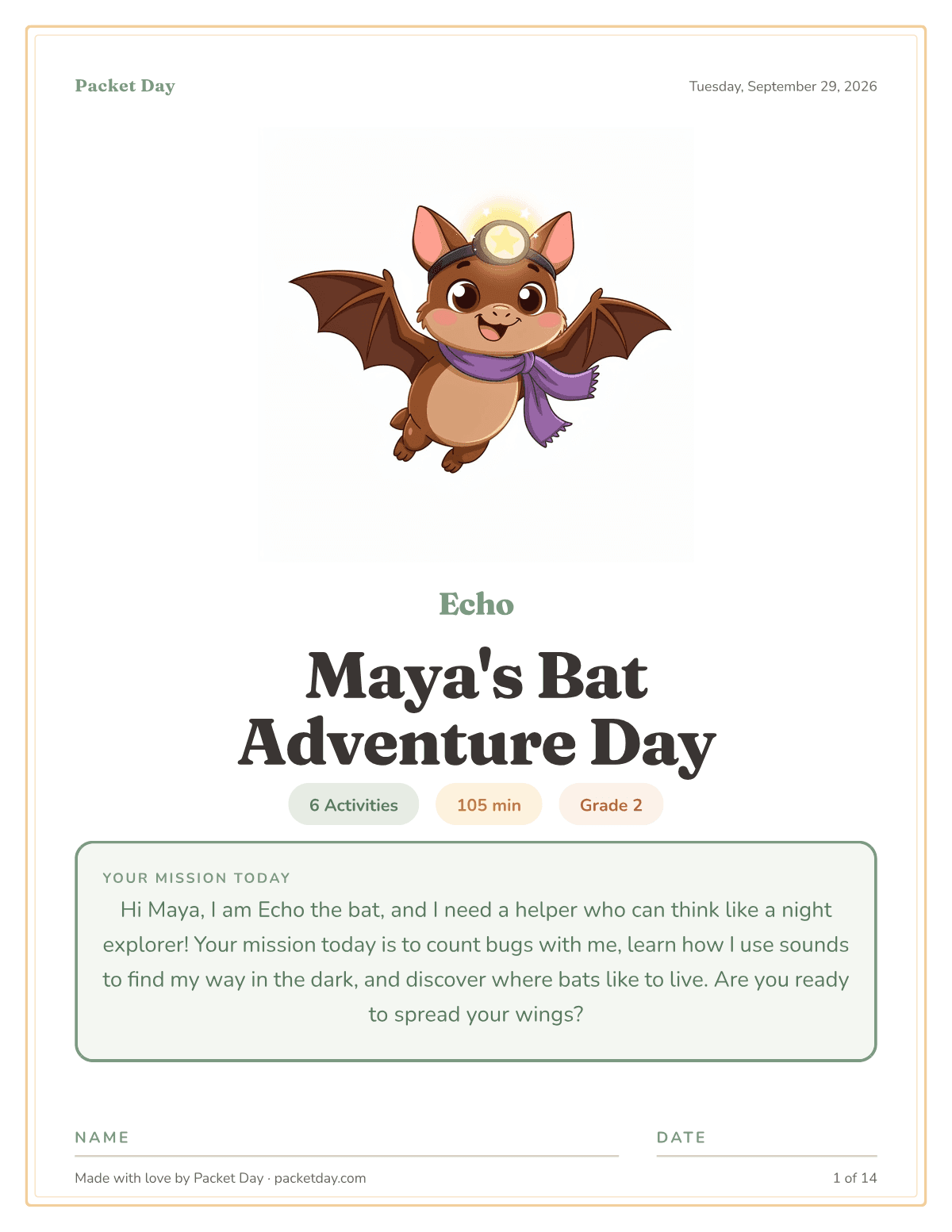
Where it shines: You type in your kid's name, grade and whatever they're obsessed with this week. In a minute or two you get a full school day as a PDF: 11 to 17 pages of math, reading, writing and science, all tied together by one story and a mascot made just for them. Roughly 2 to 5 hours of work with breaks. The AI does the prep. Your kid gets paper and a pencil.
Where it falls short: It's not a full curriculum and it won't teach a brand new concept the way a tutor does. You need a printer. The free plan is one packet a month. AI Tools Bakery reviewed it and put it well: it's for the days when the plan falls apart, not the backbone of your year. They also checked our answer keys: "We checked every math answer in both answer sheets and they were correct."
Our take: This is the one we built because we needed it. Sick days, burnt out days, road trip days, the day your 3rd grader will only talk about volcanoes.
2. Khanmigo: best AI tutor
Price: $4/mo or $44/yr, up to 10 kids on the parent plan.
Where it shines: Khan Academy built it to ask your kid questions instead of handing over answers. You can read every conversation your kid has with it, and you get an alert if anything gets flagged.
Where it falls short: It's a screen, and it works best for kids who can stay on task by themselves. Younger kids tend to wander off into chatting. It's strongest in math.
3. ChatGPT or Claude: best planning helper for you
Price: Free, with paid plans around $20/mo.
Where it shines: "Give me 10 read alouds about courage for a 9 year old." "Explain photosynthesis three ways." "Help me plan a week around Thanksgiving." It's a tireless brainstorming partner.
Where it falls short: Ask it for a worksheet and you'll spend the next 30 minutes fixing the math, the formatting and the spacing, then designing the page yourself. If you'd rather start from something ready made, here are the best TPT alternatives. Always double check facts and answer keys. And I keep these on my account, not my kids'.
4. Diffit: best for leveling up (or down) a reading passage
Price: Free tier; $14.99/mo or $149.99/yr for the full version.
Where it shines: Paste in an article, a topic or a link and it rewrites it at the reading level you pick, with vocabulary and questions. Great when two kids at different levels are studying the same thing.
Where it falls short: It's built for classroom teachers, so the paid price is steep for one family, and the output is plain text pages, not something your kid gets excited to pick up.
5. NotebookLM: best for turning your own books into study guides
Price: Free.
Where it shines: Full honesty: we haven't used this one ourselves, but other homeschool parents keep telling us about it. You upload a chapter, your notes or a PDF and it makes study guides, quizzes and even a podcast style audio summary from YOUR material, not the whole internet.
Where it falls short: From what parents tell us, it's most useful for older kids and for you. Littles won't get much out of it.
6. MagicSchool: best for lesson plans and quick generators
Price: Free; Plus is $12.99/mo or $99.96/yr, with a 30 day free trial.
Where it shines: Dozens of one click tools: lesson plans, rubrics, quiz questions, leveled texts.
Where it falls short: It's built for classroom teachers with 25 kids, so a lot of the tools (report card comments, class newsletters) aren't useful at the kitchen table.
7. Photomath or Google Lens: best for "I'm stuck on this math problem"
Price: Free; Photomath Plus is about $10/mo.
Where it shines: Snap a photo of a problem and see every step. Honestly, it's saved me on more than one "wait, how do you do this again?" moment.
Where it falls short: It's very easy for a kid to copy the answer and skip the thinking. We use it as a parent tool, or after the kid has tried first.
How we use them together in a real week
You don't need all seven. Here's roughly how it shakes out at our house:
- Sunday night: I use ChatGPT or Claude to sketch the week and pull a book list around whatever topic we're on.
- Most days: our regular curriculum, plus a Diffit passage when my two kids are reading about the same thing at different levels.
- Math gets stuck: Photomath for me, so I can explain it, not so they can copy it.
- The day everything falls apart: a Packet Day packet. Somebody's sick, I'm sick, nobody slept, or we're in the car for six hours. Print it, hand it over, done.
The rule we landed on: AI helps me prep. My kids learn on paper, with me.
Frequently asked questions
Is it okay to use AI for homeschooling?
Yes, with you in charge. Most of the value is in parent side work like planning, prep and leveling content. Plenty of families use AI and never put their kid in front of a chatbot.
Is AI safe for my kids to use directly?
General chatbots like ChatGPT aren't built for young kids. If you want your kid using AI directly, pick a tool built for it, like Khanmigo, where you can read the conversations. Or use a tool like Packet Day where the AI makes paper pages and your kid never touches it.
What's the best printable worksheet subscription for K to 5?
If you want a big library to search, Education.com and Twinkl are the classics. If you want a full day of printables made around your kid's interests instead of searching, that's what Packet Day does. We compare them all in 7 Best Teachers Pay Teachers Alternatives.
Can ChatGPT make homeschool worksheets?
It can write the questions. You'll still format the pages, check every answer and make it look like something a kid wants to do. That gap is exactly why we built Packet Day.
Does work made with AI count toward my state's homeschool requirements?
In most states, what counts is the learning and the records you keep, not the tool you used to make the pages. Check your state's rules in our homeschool laws by state guide.
Will AI tools add more screen time?
Only if you let them. Tutors and math apps are screens. Planners, reading level tools and Packet Day all end in something you can print.
Final thought
AI won't homeschool your kids for you, and honestly, I wouldn't want it to. But it can take the 9pm Sunday panic off your plate so you have more left for the actual teaching part.
If you want to see what AI looks like when it ends in paper instead of a screen, make your first packet free. No card needed, and it takes a minute or two.
Keep reading
More from the blog
- 7 Best Teachers Pay Teachers Alternatives for Homeschoolers in 2026TPT is banning AI made resources. The 7 best alternatives for homeschool families, with real prices and an honest take on AI.
- I Spent Hours Hunting Free Worksheets. Here's Why We Built Packet Day.A homeschool mom on the hours spent searching, printing and piecing together free worksheets that never connect, and why she built something better.
- Morning Work: The 60-Second Version of a Morning BasketMorning baskets are beautiful and completely unsustainable. Here's the 60-second version that gives you the same calm start, with zero Sunday prep.
Like what you just read? 📝
Packet Day turns an idea like this into a real, printable day. Pick a grade, pick an obsession, and it's ready in a minute or two.
Try Packet Day Free